Odoo Automation: What You Can Automate and Why It Matters
 Automation is no longer a buzzword—it’s a strategic necessity. In today’s fast-paced digital economy, businesses are under pressure to deliver faster, reduce errors, and cut operational costs. Yet, many companies still waste hours on repetitive tasks like sending invoices, updating stock, or tracking payroll.
The solution? Automation. And one of the most versatile platforms for achieving this is Odoo—a modular ERP system designed to simplify complex business operations while making automation accessible for businesses of all sizes.
In this guide, we’ll cover:
- How Odoo became a leading ERP solution
- What Odoo automation is and why it matters
- Processes you can automate right now
- A practical roadmap to start automating without stress
- What implementation looks like with expert support
Odoo’s History and Why It Matters for Automation
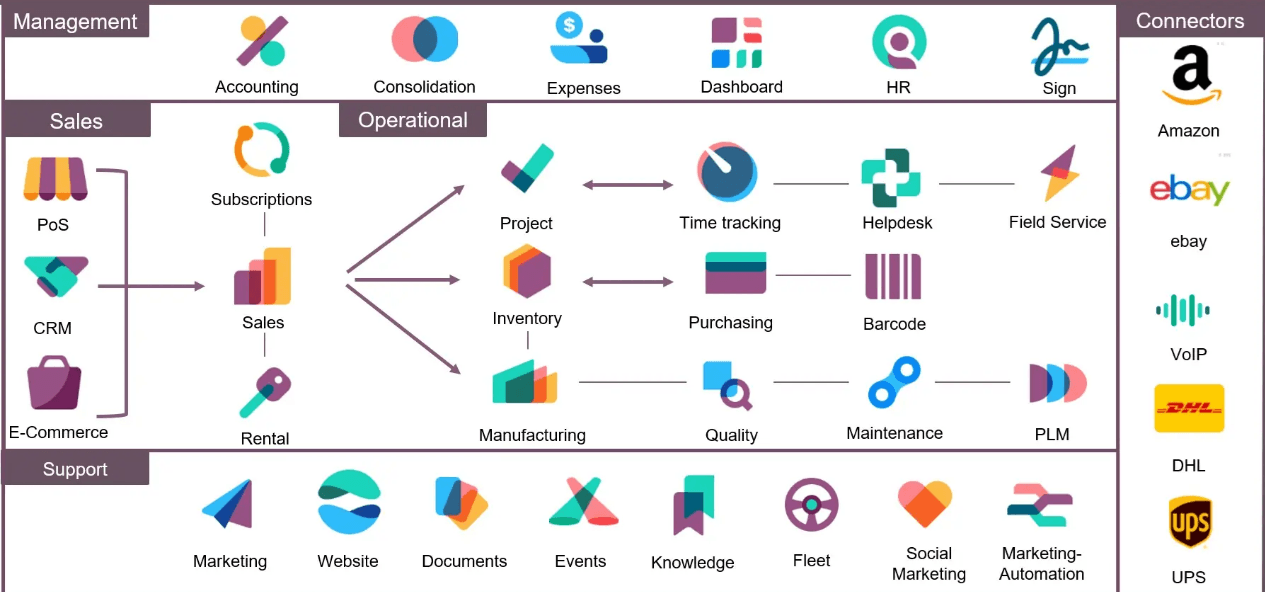 Odoo started in 2005 as TinyERP, an open-source ERP system by Belgian founder Fabien Pinckaers, aiming to make enterprise software simple and affordable. By 2009, it evolved into OpenERP, adding more features and attracting a growing developer community. In 2014, it rebranded as Odoo, reflecting its shift to a full business suite that includes CRM, e-commerce, POS, and CMS—beyond traditional ERP.
Today, Odoo serves millions of users in over 175 countries, supported by thousands of developers and over 30 core applications. Its modular architecture and strong customization capabilities make it ideal for businesses seeking flexibility and automation at scale.
What Is Odoo Automation and Why Does It Matter?
Odoo automation means creating workflows that execute repetitive tasks automatically—freeing your team to focus on strategic work instead of routine operations.
Think of it as your built-in digital assistant:
- Sending invoices after an order is confirmed
- Updating stock levels when products sell
- Scheduling payroll runs without manual input
- Sending reminders for payments or abandoned carts
Why Businesses Can’t Ignore Automation
Manual processes might seem manageable early on, but as you grow, they create bottlenecks—delayed invoices, stock shortages, payroll errors. Automation solves this by:
- Reducing errors: No room for guesswork, everything follows predefined rules.
- Saving time: Free up staff for higher-value work.
- Improving customer experience: Faster, more accurate processes keep clients happy.
- Cutting costs: Streamlined workflows reduce overhead.
Automation isn’t just convenient—it’s a competitive advantage.
What Can You Automate with Odoo?
Odoo supports automation across multiple business areas. Here are some of the most impactful examples:
1. Accounting & Invoicing
Odoo can automatically generate invoices based on sales or delivery events. For instance, enabling the Automatic Invoice settings ensures that once a delivery is validated, an invoice draft is created—and modules like Automatic Invoice And Post can auto-validate and email these invoices to your customers.
2. HR & Payroll
Odoo’s Payroll module simplifies employee compensation management by allowing you to schedule automated payroll runs. It handles salary calculations, applies tax rules, and manages pension contributions based on local regulations—helping reduce manual admin and compliance risks.
3. Inventory Management
Odoo offers built-in reordering rules that trigger inventory refreshes when stock dips below a defined threshold. The scheduler (running daily by default) automatically creates purchase or manufacturing orders, minimizing stockouts and excess inventory.
4. Customer Engagement
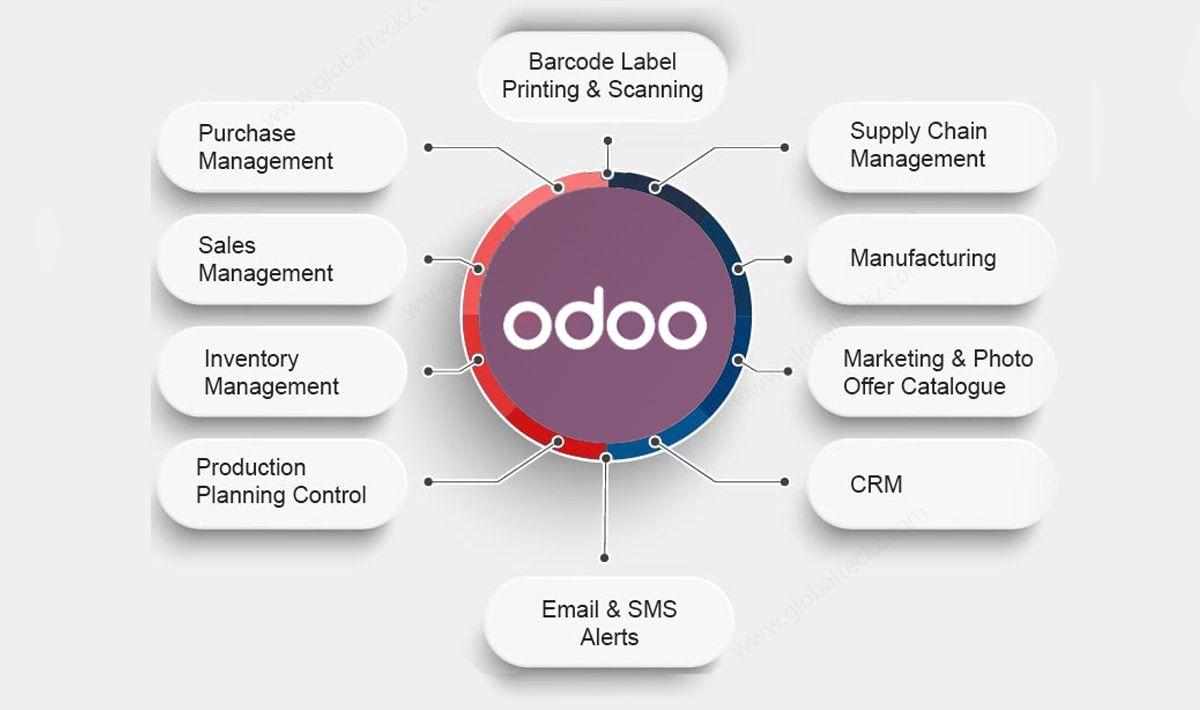
Odoo supports automated communication via CRM and marketing modules. This includes sending follow-up emails or SMS for abandoned carts, order confirmations, shipment alerts, and payment reminders—ensuring your customers stay informed without manual effort.
These automations create a smooth, interconnected workflow—reducing delays, minimizing errors, and improving the customer experience.
Your Odoo Automation Roadmap
Here’s a simple timeline for implementing automation effectively:
| Phase | Key Automation Activities | Timeline |
|---|---|---|
| Discovery | Identify repetitive tasks, map automation opportunities, set goals | 1–2 weeks |
| Configuration | Set up workflows in Odoo modules (e.g., invoicing, inventory triggers, payroll) | 2–4 weeks |
| Testing & Training | Pilot automations, train staff for adoption | 1–2 weeks |
| Go-Live & Optimization | Launch automations, monitor results, refine rules | Ongoing |
Let's partner with you to actualize your Business automation with Odoo
 Odoo makes automation practical, scalable, and cost-effective. From invoicing and payroll to inventory and customer engagement, its modular design ensures you only implement what you need—when you need it.
The real question isn’t whether you should automate—it’s how soon you can start.
Ready to take the first step?
Start small, automate your first workflow, and watch your business transform.
Contact us today for a consultation or to book an Odoo demo to find the best setup for your business.